
 Listing checkedFree
Telegram Video Downloader
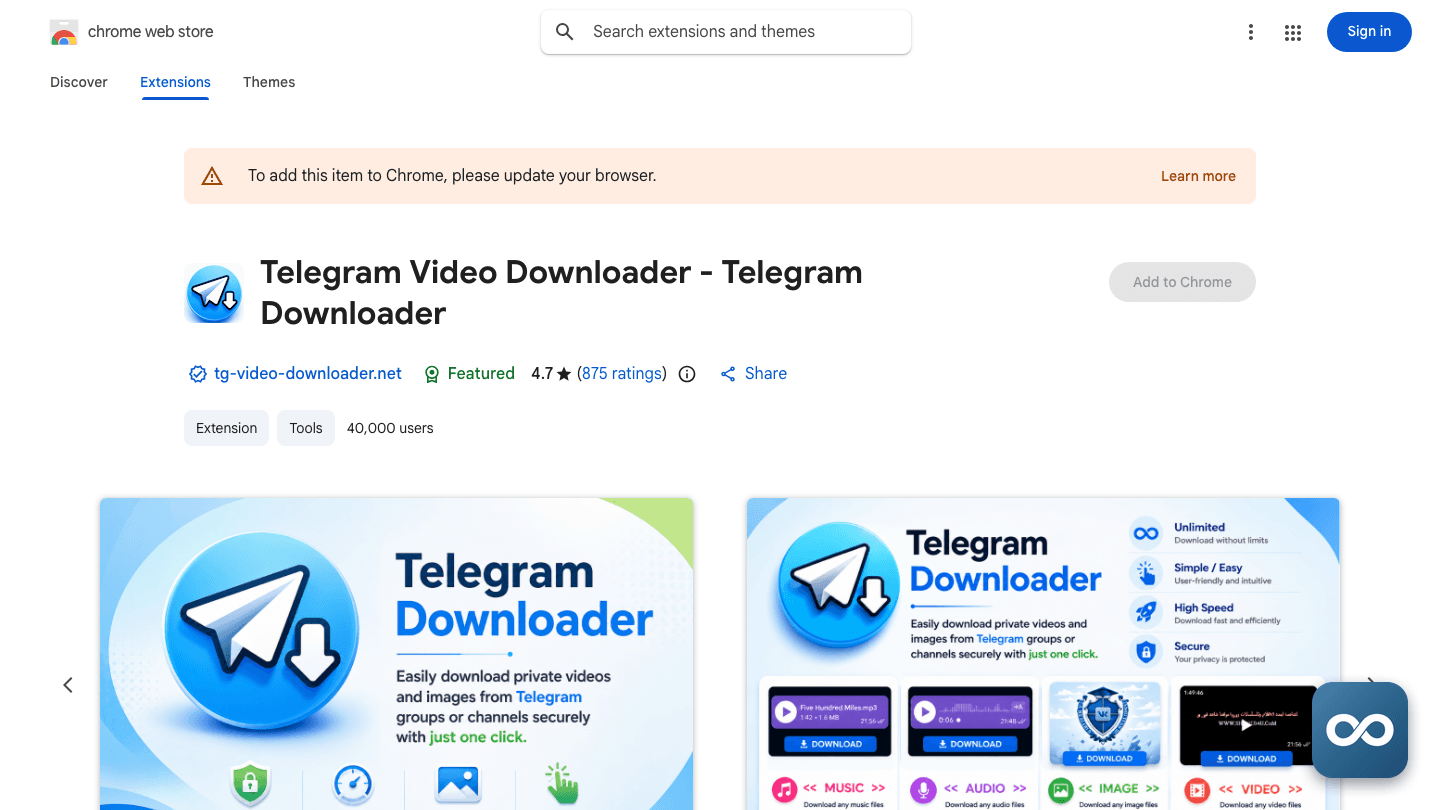
Chrome extension that saves videos, photos, GIFs and files from Telegram Web chats your account can already open, singly or in batches.
- Ratings
- No member reviews yet
- Price
- Free
- Last updated
Key takeaways
- The Chrome Web Store listing showed a 4.7 out of 5 rating from 5,872 ratings as of August 31, 2026, and version 2.3.3 shipped on August 19, 2026, so the extension appears to be maintained.
- It's an unofficial browser extension with no identifiable company behind it. The store lists a personal Gmail address as the developer contact, and no legal entity, founder, or support site has been found.
- There is no published pricing. It installs free from the Chrome Web Store, and as of August 31, 2026 no paid plan, quota schedule, trial, or checkout page could be found for this extension.
- The scraped estimate of roughly 197 million monthly visits is uncorroborated and implausible for a single Chrome extension. The store rating count is the more reliable adoption signal.
- It only saves content the signed-in account can already see. The current listing says it does not bypass login, permissions, or platform protection, and a Koi Security analysis of a matching build found telemetry sent to an Aliyun logging endpoint.

What is Telegram Video Downloader?
Telegram Video Downloader is a Chrome extension that adds download convenience to Telegram Web. Sign in at web.telegram.org, open a chat, group, or channel, and the extension detects the videos, photos, GIFs, and files rendered on the page, then lets you save them one at a time or in a batch. It works with both the A and K versions of Telegram Web on desktop Chrome, on Mac and Windows, and needs no Telegram API key, bot token, or separate account.
The important boundary sits in the listing itself: the extension cannot bypass login, permissions, or platform protection. It saves what your account can already open. Nothing more. That corrects an older, broader claim that it pulls media from restricted and private channels with one click. What it actually removes is the friction of saving accessible media, especially several items at once, through a popup where you review detected files before downloading. Files land on your computer through Chrome's normal download system, with no cloud library or server-side archive documented.
It sits in a crowded field of similarly named downloaders. Open-source userscripts, MIT-licensed extensions, and self-hosted bots cover the same ground with more setup, and Telegram's own web app already saves anything the platform permits, just without batch selection. This one is turnkey but anonymous: it's not a Telegram product, and the developer is reachable only through a Gmail address listed on the store page.
How it works
Install and pin the extension
Install from the Chrome Web Store and pin the icon to the toolbar. No API key, bot token, or separate account is documented; the listing says no complex configuration is required.
Sign in to Telegram Web
Open web.telegram.org in Chrome. Sign in as usual. The extension works alongside both the A and K versions of the web app, on desktop Mac or Windows.
Load the media you want
Navigate to a chat, group, or channel and let the media render. The extension detects items on the current page, so a file has to be visible and accessible to your account before the extension can save it.
Review, select, download
Open the popup, review the detected files, and pick one or several. Click Download and the files save to your computer through Chrome's download system.
Features
Single-file downloads
Adds a save action for supported videos, photos, GIFs, and files that are already accessible in Telegram Web, per the store listing from August 2026.
Batch downloads
Select multiple detected items and save them together, instead of repeating the native save action for each file.
Detected-item review
The popup lists what the extension found on the current page so you choose what to keep, rather than blindly exporting every visible item.
Telegram Web A and K support
The listing names both variants of the web app, corresponding to web.telegram.org/a and web.telegram.org/k.
No API setup
The extension says it needs no Telegram API, bot token, or complex configuration. You sign in to Telegram Web yourself; the extension never asks for a password.
Local browser saving
Downloads go through Chrome to your own disk. No cloud library, sync, or server-side archive is documented.
Permission-bound operation
The listing is explicit that the extension is limited to content visible to the signed-in account and does not bypass access controls. Treat any stronger claim as outdated.
What people use it for
- Backing up videos, photos, GIFs, or files from chats your account can access.
- Saving study or research materials for offline viewing.
- Organizing work files shared in a Telegram group.
- Downloading several visible media items in one pass instead of one at a time.
- Keeping a local copy of media from a personal chat.
It is not a tool for reaching channels, accounts, or media you are not authorized to view: the listing expressly says it does not bypass permissions or platform protection.
Who it’s for
Pricing
There is nothing to price yet: as of August 31, 2026 no pricing page, plan name, subscription amount, billing period, trial, refund policy, or checkout flow could be found for this extension. It installs free from the Chrome Web Store, but the listing doesn't say whether free use is permanently unlimited, and it discloses no credits, daily quotas, watermarks, or resolution caps. A similarly named extension under a different Chrome Web Store ID advertises three free daily quotas and unlimited quotas for subscribers, and refund pages exist for lookalike websites, but none of that can be safely attributed to this extension. If a paid tier or quota appears in a future version, no published terms currently govern it.
User reviews
Write a reviewNo reviews yet
Used Telegram Video Downloader on something real? Write down what you made, what it cost and what the trade-off was. The next person can decide in about a minute from that.
Be the first to reviewWhat to know before you commit
The rating is the main signal, and it is thin. The listing showed 4.7 out of 5 from 5,872 ratings as of August 31, 2026, but the store exposes little review text publicly, so there's no reliable picture of recurring praise or complaints. Commentary from BrowserPowers describing an easy, fast downloader concerns a similarly named extension and should not be read as this product's reception.
A security lab has looked at the code. Koi Security analyzed a matching TG Downloader build in August 2026 and found Chrome APIs, local storage, alarms, and telemetry posting browser details, install time, a UUID, version, and plan code to an Aliyun Log Service endpoint. It found no evidence of credential theft, shell execution, or privilege escalation. That's a point-in-time snapshot, not a guarantee, and permissions can change with any update.
It will not open doors your account cannot. Older descriptions promised one-click downloads from restricted and private channels. The current listing walks that back: it only handles content visible to the signed-in account and does not bypass login, permissions, or platform protection.
Nobody has put their name on it. No company, founder, headquarters, support site, changelog, or official social profile has been found. The only public contact is a Gmail address on the store page. That means no support structure and no accountability if the extension breaks or changes behavior.
Rights stay your responsibility. The listing warns users not to download, distribute, or share copyrighted, private, or third-party content without authorization, and grants no commercial-use licence. Telegram's own terms still apply to everything you save.
Telegram Web changes can break it. Detection depends on the current Telegram Web A and K pages, and the listing says results depend on network, browser status, and file availability. The current listing does not confirm the claimed 1GB plus file support, audiobook and voice-note handling, or 24/7 support.
Frequently asked questions
Company & links
- Company
- Telegram Video Downloader
- Leadership
- Not documented. No founder, CEO, or executive name has been verified. The Chrome Web Store lists a personal Gmail address as the developer contact, which identifies neither a person's legal identity nor a company, and the product is presented as an independent, unofficial extension rather than a Telegram product.
- Funding
- Not documented. No parent company, funding round, investor, valuation, or acquisition has been found, and Koi Security likewise reported no available parent-company information while analyzing a matching build in August 2026. Nothing should be inferred from similarly named download websites or bots.
- Scale
- Not documented. No revenue, headcount, or self-reported figures of any kind have been located. The only sign of activity is the product itself: version 2.3.3, listed as updated August 19, 2026. Updates show the product is alive, not that an identifiable company operates it.
Try Telegram Video Downloader on work you already know
A task you’ve done before is the fastest way to judge whether Telegram Video Downloader fits your workflow and budget. Check the current plan terms on the official site before you subscribe.